Guides
Post pass
This is an optional finishing pass. It adds height fog with volumetric god rays through the cloud shadow map, draws clouds in front of geometry, and applies bloom with sun shafts and a light night grade. Then it applies your renderer's own tone mapping.
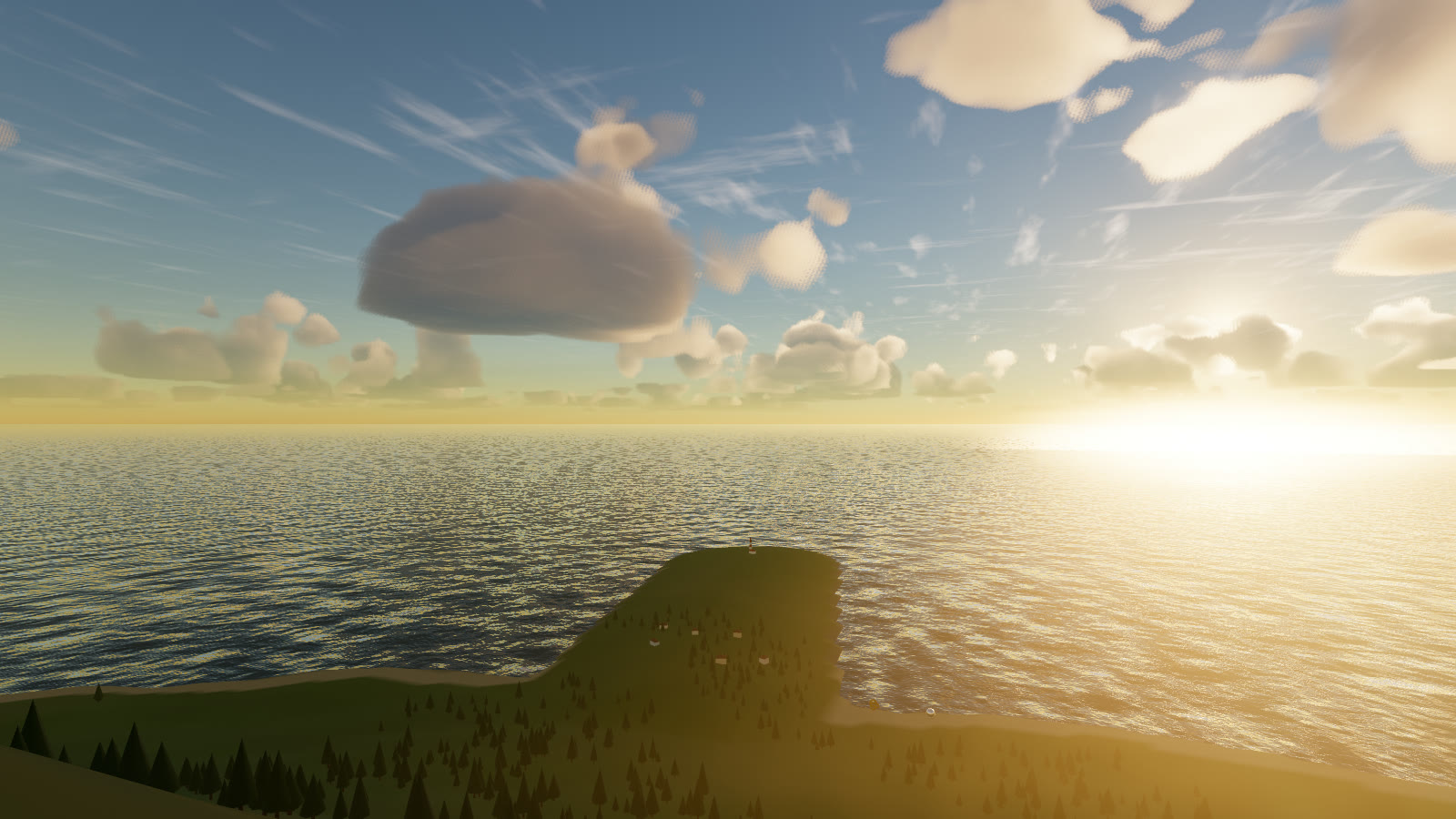
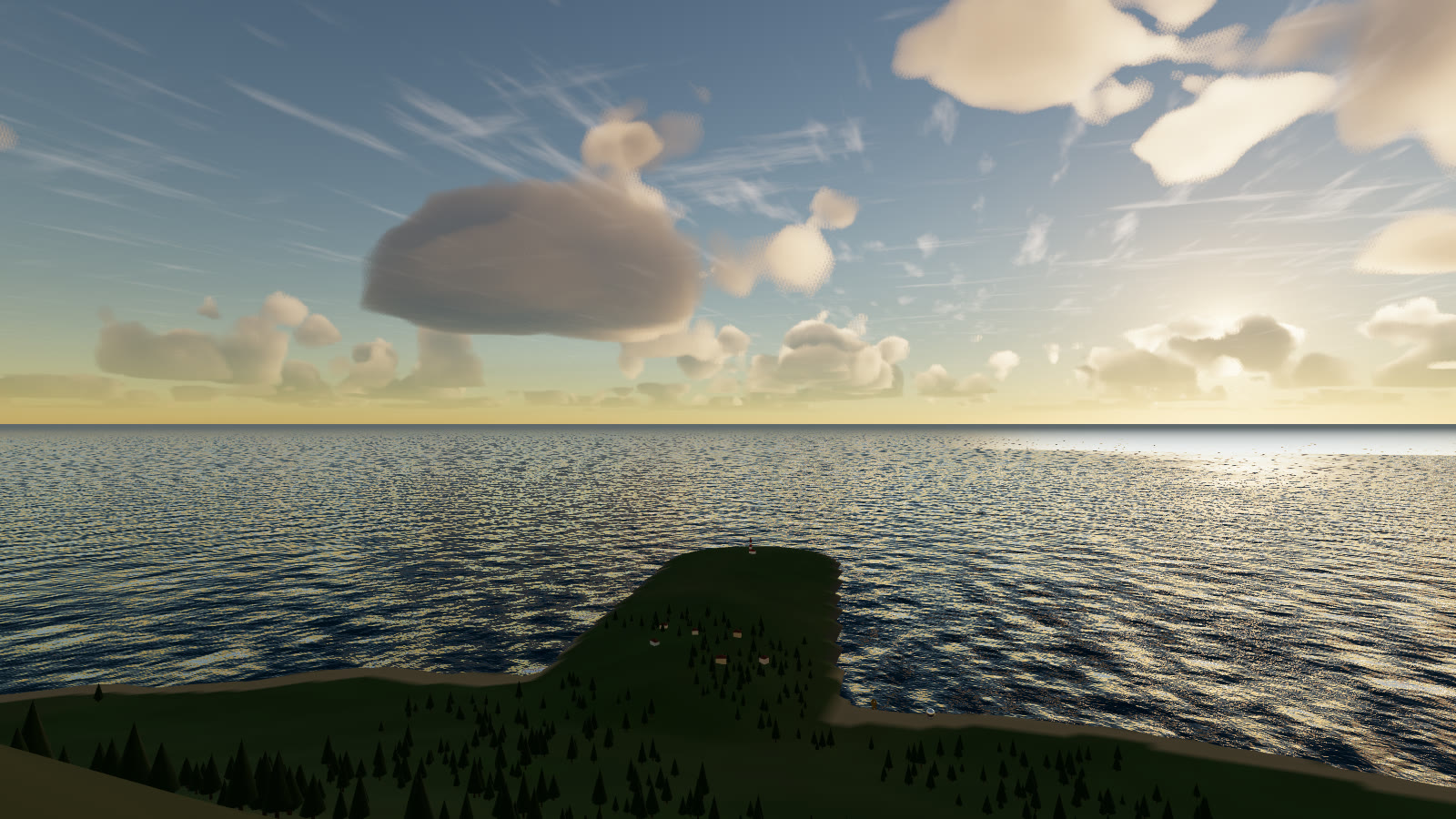
golden preset from the hill. Without the pass, geometry sits on a correct sky. With it, the air between the camera and the island scatters light, and shafts fall through gaps in the deck.#Use it
const post = sky.createPostPass();       // { fog, godRays, bloom, cloudsOverGeometry, grade, msaa }

renderer.setAnimationLoop(t => {
  timer.update(t);
  sky.update(timer.getDelta());
  post.render(scene, camera);            // instead of renderer.render(scene, camera)
});
It renders your scene into an HDR target with depth, runs bloom and shafts, and composites fog, god rays, clouds over geometry and the grade. Then it tone-maps into the target, which is the screen by default.
#Options
const post = sky.createPostPass({
  fog: true,                 // height fog + aerial perspective
  godRays: true,             // volumetric shafts through the cloud shadow map
  bloom: true,               // bloom + radial sun shafts
  cloudsOverGeometry: true,  // clouds in front of geometry, from the recorded cloud depth
  grade: 1,                  // light night grade strength
});
post.options.godRays = false;   // mutable at runtime
The quality tier sets god-ray steps, bloom and MSAA (see Quality levels). The strengths come from the sky parameters, so presets carry them:
| Param | Default | |
|---|---|---|
fogDensity | 1 | Fog multiplier (0 disables) |
godRays | 0.6 | Volumetric shaft strength (0 – 2) |
bloom | 0.3 | Bloom amount |
shafts | 0.3 | Radial sun shafts |
#How the fog works
It's exponential height fog, fogSigma × fogDensity with a 1.2 km scale height, marched along each view ray through the cloud shadow map. Sunlit air and shadowed air therefore scatter differently, which is what makes god rays. The ambient colour is the LUT horizon, so distant geometry melts into the backdrop horizon instead of a flat grey.
#Composite over your own HDR render
// naturegl-water renders the scene + ocean into HDR itself:
const hdr = water.renderHDR();
post.composite(hdr.texture, hdr.depthTexture, camera);
The colour must be linear, not tone-mapped, in three.js light units. The depth must be the matching DepthTexture, where z = 1 means sky. Size comes from the colour texture.
#Limits
- It reconstructs position from the depth buffer. Normal and reversed depth work;
logarithmicDepthBufferdoesn't. post.setSize(w, h)is called automatically byrender(). Afterrenderer.setSize, callsky.resize()and it resizes the pass too.sky.dispose()also disposes a pass created withcreatePostPass.